Utility compliance manager
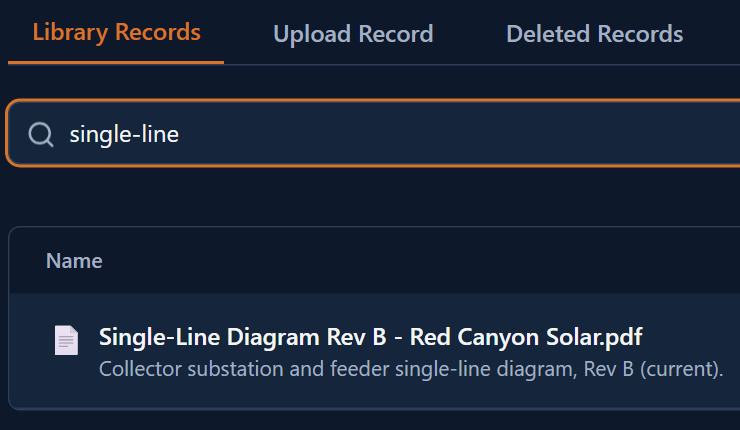
Prepares for a state regulatory audit and searches Library by project and by name, description, or tag for the records on hand.
Documents of record.
Approved forms, published SOPs, and finalized reports file here as documents of record. Upload your own files, search and filter by project, and recover anything soft-deleted within 30 days.
The current version lives somewhere, and finding it, and proving who approved it, takes asking around. Library is where finished work lives. Forms approval, COR publish, Flow's AI finalization step, Reports exports, and Comply's authorized packages each file into Library as a document of record. Upload your own files directly: PDFs, images, spreadsheets, and more, up to 50 MB each.
Forms approval, COR publish, Flow's AI finalization step, Reports exports, and Comply's authorized packages each file a document here on their own.
Upload PDFs, images, spreadsheets, text, or CSV files, up to 50 MB each.
Filter by project, or search by name, description, or tags.
Soft-delete a document and restore it within 30 days; a daily job removes it permanently after that window, with no human step in between.
Prepares for a state regulatory audit and searches Library by project and by name, description, or tag for the records on hand.
Needs the most recent commissioning record for an inverter model and searches Library by name or tag to find it.
Accidentally deletes a sampling record, opens the deleted documents view, and restores it within the 30-day window.
Needs the current lockout and tagout procedure and searches Library by name instead of asking around.
Ask about your document library in plain language. The assistant works from counts plus your 20 most recent documents and your permission level.
Documents arriving from Forms, Flow, and COR carry tags from their source application.
Capture what's real. Forecast what's possible.
AI task boards from text or files.
Upload, type, or dictate. AI builds the form.
Scheduling and work order execution.
Evidence linked to requirements.
Supply chain tied to the software operating layer.
Narrated analysis from your own data.
Contract and KPI tracking from your own documents.
Tell us what you want to see in Library and pick a time that works for you. On the call we listen to your questions, then show you OpCor running on what you picked.